Export everything
Calls to a spreadsheet, recordings in one zip. Their data is never stuck in the portal.
Your clients log in to see every call, message and result, with your logo on it, not ours.
Calls placed, how many picked up, what they cost and how they ended. Set to whatever range they care about.
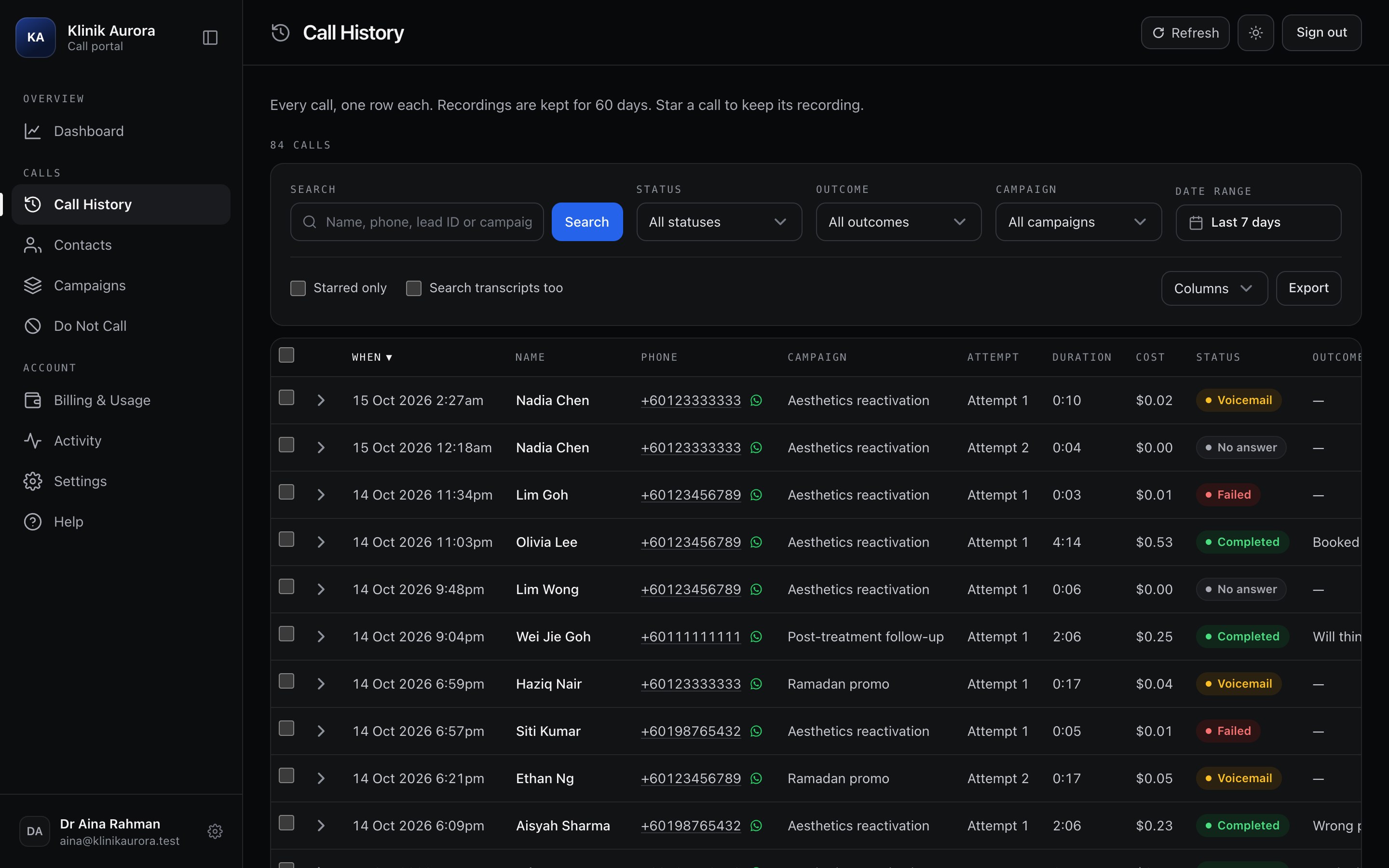
Search by name, number or campaign. Filter by outcome. Export the lot to a spreadsheet in one click.
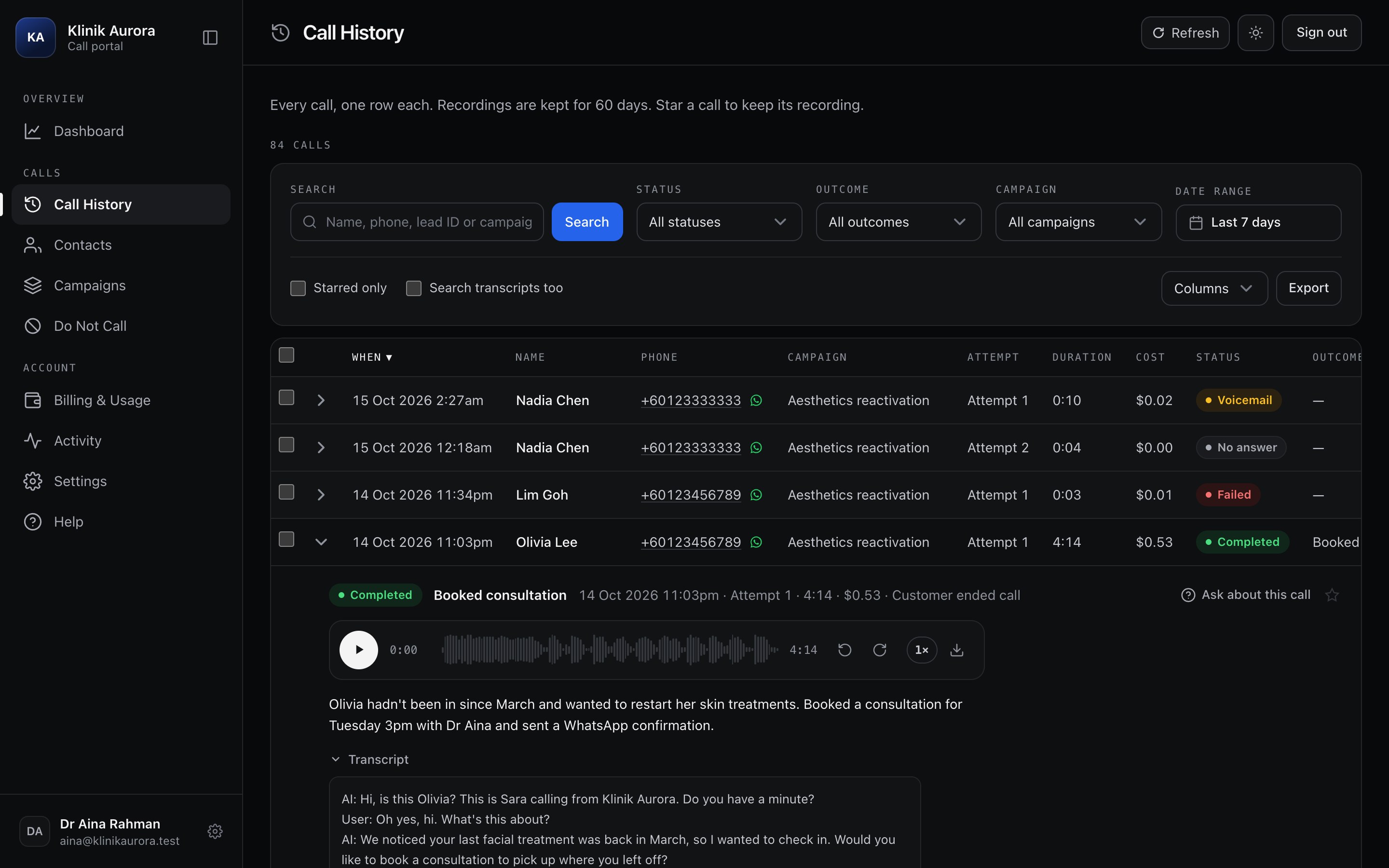
Open any call for the recording and the full transcript. Play it back at double speed, or download it.
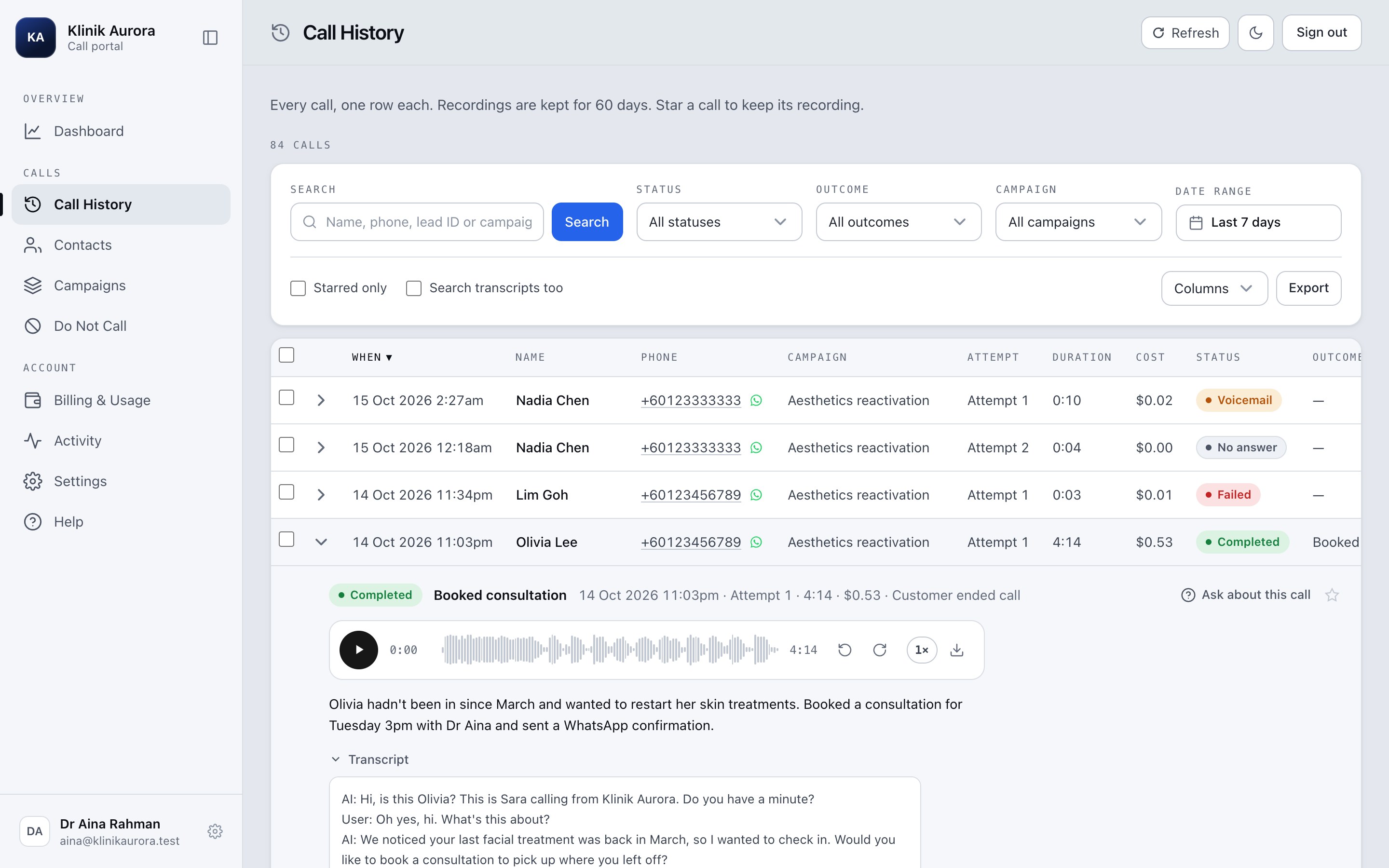
Light, dark or match the device. Each person on the team picks their own.
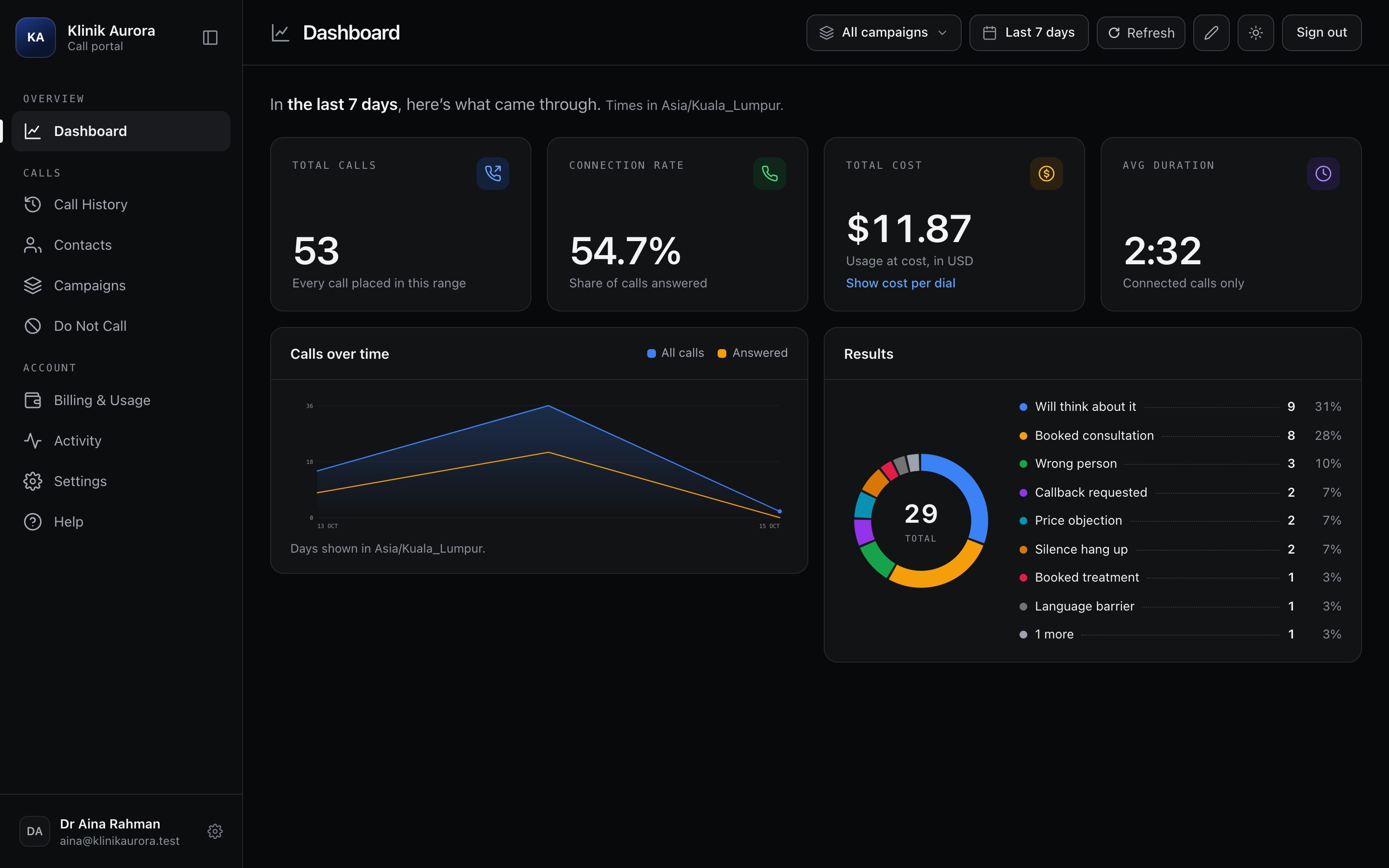
Calls placed, how many picked up, what they cost and how they ended. Set to whatever range they care about.
Search by name, number or campaign. Filter by outcome. Export the lot to a spreadsheet in one click.
Open any call for the recording and the full transcript. Play it back at double speed, or download it.
Light, dark or match the device. Each person on the team picks their own.
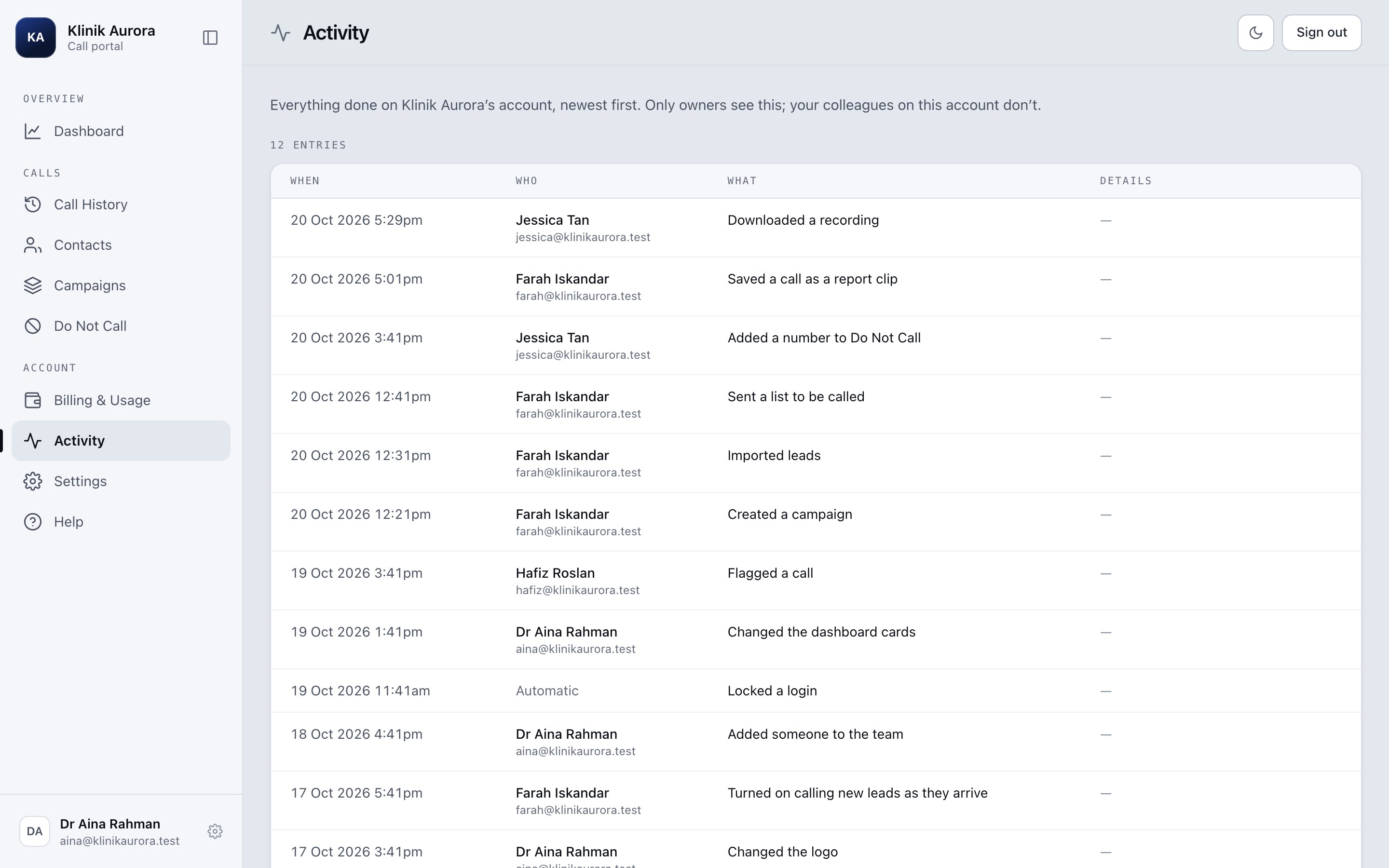
Every export, download, list sent and teammate added, newest first. Only the owner sees it, so nothing happens on the account without a record.
Everything an owner or manager needs day to day, without waiting on us for a report.
Calls to a spreadsheet, recordings in one zip. Their data is never stuck in the portal.
Add a number once and the agent never rings it again, on any campaign.
Owner, admin and member roles, so the front desk sees calls without touching exports or billing.
Questions go in a ticket with the call attached, not lost in a WhatsApp thread.
Recordings clear out after 60 days. Star the ones worth keeping and they stay.
Pickup rate, outcomes and best call times for every list they've run.
Your clients will ask how their customers’ data is handled before they sign. Here’s the short answer.
Every login needs a password and a code from an authenticator app.
Each client's calls are separated in the database itself. No client can ever reach another's.
Recordings are deleted automatically after 60 days unless someone stars them.
Idle sessions end on their own, and repeated wrong passwords lock the login.
No. Each client only ever sees their own calls, contacts and logs, and that's enforced by the database, not just hidden in the screens.
Yours, or your client's. Our name doesn't appear anywhere in the portal.
60 days by default. Anything starred is kept, and the whole lot can be downloaded at any time.
No. Every build comes with it.
Yes. Each person gets their own login with a role: owner, admin or member. The owner sees the activity log of everything they do.
Every build comes with the portal. Tell us about your clients and we’ll walk you through it.
Contact us